Reading time: 12 minutes | Last updated: June 2026
If you’ve ever fumbled with a music stand in dim stage lighting, desperately tried to turn a page mid-phrase, or watched a paper score flutter to the floor mid-performance, you’ve probably wondered: can a tablet replace all of this? And more specifically — is an 11-inch tablet big enough for sheet music?
The short answer is yes, for most musicians and most repertoire — an 11-inch tablet is sufficient for sheet music. But the full answer depends on your instrument, your eyesight, the complexity of the music, and how the app renders the score.
This guide breaks down everything you need to know, with real-world context, device comparisons, and recommendations tailored to different types of players.
Table of Contents
Table of Contents
1. Understanding the Problem: What Sheet Music Actually Requires
Sheet music makes demands that most digital content does not. Unlike a novel or a website, a score must be:
- Readable at a distance — typically 12 to 30+ inches from the player’s eyes
- Scannable in fractions of a second — a pianist sight-reading at tempo cannot pause to study a note
- Displayed with consistent notation density — some pages contain just 4 bars; others squeeze 16 bars of complex polyphony
- Legible in variable lighting — from bright rehearsal rooms to dimly lit stage pits
These requirements mean that raw screen size is only part of the equation. Resolution, brightness, font rendering, and app quality all matter just as much.
2. Standard Sheet Music Dimensions vs. Tablet Screen Size
To answer whether an 11-inch tablet is big enough, let’s look at what we’re comparing against.
Standard Sheet Music Page Sizes
| Format | Dimensions | Common Usage |
|---|---|---|
| US Letter | 8.5 × 11 in (21.6 × 27.9 cm) | Most US-published scores |
| A4 | 8.27 × 11.69 in (21 × 29.7 cm) | European and classical scores |
| Folio / Quarto | 9 × 12 in (22.9 × 30.5 cm) | Orchestral parts, choral books |
| Landscape booklet | 9 × 6 in (approx.) | Band books, method books |
Common 11-Inch Tablet Screen Dimensions
| Device | Screen Size | Aspect Ratio | Resolution |
|---|---|---|---|
| Apple iPad Air 11-inch (M2) | 11.0 in diagonal | 4:3 | 2360 × 1640 px |
| Apple iPad Pro 11-inch (M4) | 11.0 in diagonal | 4:3 | 2420 × 1668 px |
| Samsung Galaxy Tab S9 | 11.0 in diagonal | 16:10 | 2560 × 1600 px |
| Samsung Galaxy Tab S9 FE | 10.9 in diagonal | 16:10 | 2304 × 1440 px |
An 11-inch screen measured diagonally means the display area is roughly 8.8 × 6.6 inches for a 4:3 ratio tablet (like an iPad), or about 9.3 × 5.8 inches for 16:10 tablets.
The Key Insight
A standard US Letter page (8.5 × 11 in) is taller than any 11-inch tablet is in portrait mode. This means apps must scale the music down slightly — typically to 85–95% of original size — to fit the page on screen. In practice, this is barely perceptible for most notation sizes.
However, A4 and Folio-format scores are even taller, and the scaling becomes more significant. This is where some players begin to notice the difference.
3. 11-Inch Tablets: The Real-World Experience {#real-world-experience}
Thousands of working musicians now use 11-inch tablets as their primary score readers. Here’s what the experience actually looks like across different contexts.
Solo Instrument Practice
For pianists, guitarists, violinists, and woodwind players practicing alone, an 11-inch tablet at arm’s reach (12–18 inches) is almost universally comfortable. Modern apps like forScore, MobileSheets, and PiaScore render PDFs crisply, and the ability to zoom into a difficult passage is a workflow improvement over paper.
Ensemble and Orchestral Playing
In ensemble settings, the tablet rests on a music stand 18–30 inches away. At this distance, the note heads, stems, and dynamics markings on an 11-inch screen are readable for most players with normal or corrected vision, but players with lower visual acuity or those reading extremely dense orchestral parts may find the screen slightly cramped.
Performance on Stage
The high brightness of modern OLED and LCD tablets (often 500–1000+ nits) means readability in dark pit environments is excellent — often superior to paper with a stand light. The ability to set a warm amber tint reduces eye strain during long performances.
4. Comparing Tablet Sizes for Sheet Music
| Screen Size | Usability for Sheet Music | Best For |
|---|---|---|
| 9–10 inches | Acceptable with zooming | Personal practice, simple lead sheets |
| 11 inches ✓ | Very good — recommended baseline | Most musicians, most repertoire |
| 12.9–13 inches | Excellent, near-paper scale | Complex scores, orchestral parts, older players |
| 13+ inches | Ideal, paper-equivalent | Piano reduction, conductor scores, professional use |
An 11-inch screen sits squarely in the sweet spot for most musicians: portable enough to carry in a backpack, large enough to read comfortably.
5. Which 11-Inch Tablets Work Best for Musicians?
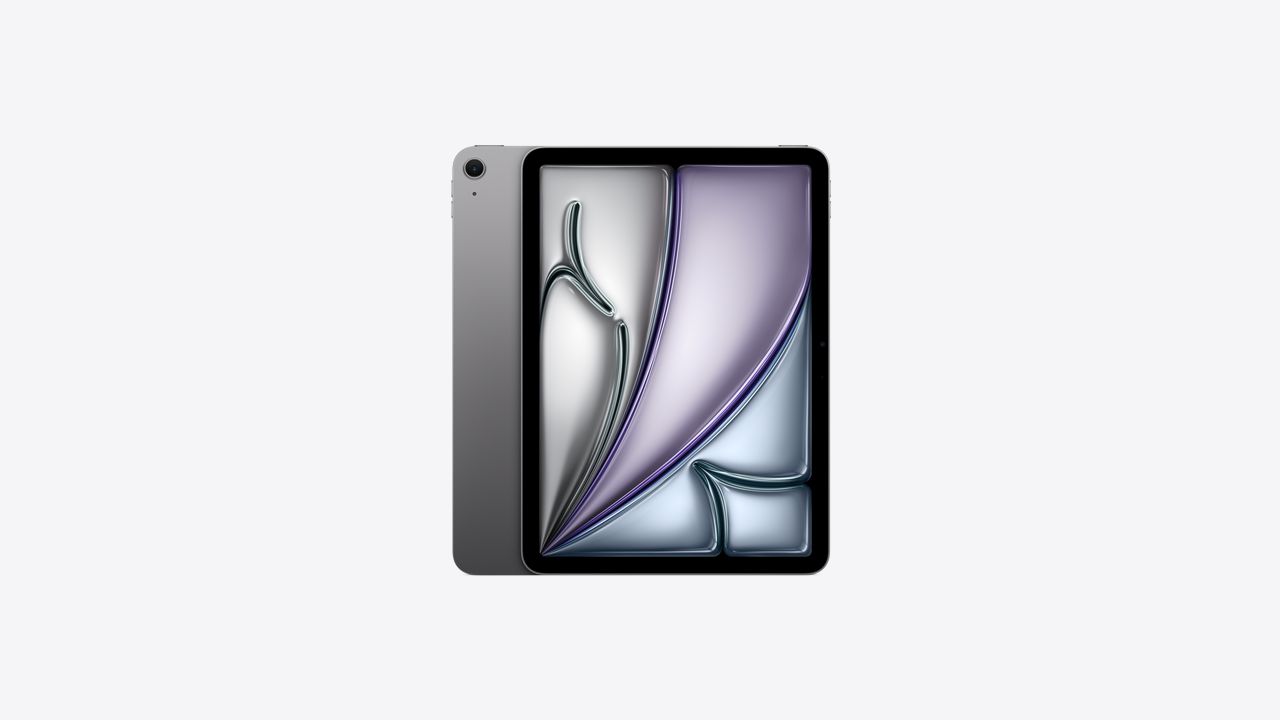
Apple iPad Air 11-inch (M2) — Best Overall for iOS
The iPad Air M2 offers a Liquid Retina display at 264 ppi, which renders notation with razor-sharp clarity. The 4:3 aspect ratio closely mirrors the proportions of a sheet music page, making it the most natural fit for score reading. Paired with forScore (the gold standard of iOS score apps), this is the setup most professional musicians choose.
- Display: 11-inch Liquid Retina, 264 ppi
- Brightness: 500 nits
- Weight: 462g — comfortable on a stand
- Apple Pencil: Compatible (for annotation)
Apple iPad Pro 11-inch (M4) — Best for Annotation-Heavy Workflows
The Pro’s ProMotion 120Hz display and superior brightness (1000 nits standard) make it exceptional for performers who also need to annotate heavily. If you’re a session musician marking bowings, fingerings, or dynamics in real time, the Apple Pencil experience on the Pro is noticeably better.
Samsung Galaxy Tab S9 — Best Android Option
For musicians who prefer Android or use MobileSheets (which has more advanced library management than iOS alternatives), the Galaxy Tab S9 is the reference Android tablet. Its 16:10 ratio shows slightly more horizontal space, which benefits landscape-oriented band parts and lead sheets.
Microsoft Surface Pro 11-inch — Best for Windows / Desktop Software
Musicians who want to run Sibelius, Finale, or Dorico natively for score editing — not just reading — will find the Surface Pro 11 invaluable. It bridges the gap between tablet portability and desktop-class notation software.
6. The Role of Apps and PDF Rendering
The tablet is only half the equation. The app you use for displaying sheet music dramatically affects usability, especially on an 11-inch screen where every pixel counts.
Top Sheet Music Apps Compared
| App | Platform | Best Feature | Price |
|---|---|---|---|
| forScore | iOS | Page turn integration, setlists | ~$14.99 one-time |
| MobileSheets | Android, Windows | Library organization, split screen | ~$9.99 |
| PiaScore | iOS, Android | Free tier, social library | Free / Pro |
| Newzik | iOS | Cloud collaboration, band parts | Subscription |
| Orpheus | iOS | Classical music library built-in | Subscription |
| Sibelius / Dorico | iOS, desktop | Editing + playback | Subscription |
What Makes a Sheet Music App Good for 11-Inch Screens?
- Crop margins automatically — removing the blank border around a scanned PDF can increase the visible music area by 15–25%, which is significant on an 11-inch display
- Adjustable scroll vs. page mode — continuous scrolling can eliminate awkward page breaks mid-phrase
- Zoom memory — remembering your preferred zoom level per score
- Bluetooth page turner support — essential for pianists; the AirTurn BT-200 and PageFlip Cicada are the most popular options
7. Instruments That Work Well — and Those That Don’t
Works Excellently on 11 Inches
- Guitar and bass — lead sheets, chord charts, and guitar-specific notation are compact; an 11-inch screen is generous
- Vocalists — lyric sheets and vocal lines are large-font and low-density
- Wind instruments (flute, clarinet, oboe, saxophone) — single-line parts with manageable note density
- Strings (solo repertoire) — most solo violin/cello parts are single-stave with clear spacing
- Choir / choral singers — SATB scores on an 11-inch screen in portrait mode are readable for most singers
Works Well With Adjustments
- Pianists — grand staff notation is manageable on 11 inches for intermediate-to-advanced players, but those reading complex contemporary works may prefer 12.9+ inches; the auto-page-crop feature in forScore is a game-changer here
- Drummers — drum notation tends to be smaller and denser; readable on 11 inches but not ideal for complex drumset parts
May Prefer Larger Screens
- Conductors — full orchestral scores involve many staves and extremely dense notation; a 12.9-inch or 13-inch+ device is strongly recommended
- Keyboard / synth players reading piano reductions — professional-level piano reductions can be very dense; 12.9 inches provides meaningfully more comfort
- Players with low visual acuity — an 11-inch screen may require more zooming and scrolling, disrupting workflow
8. Tips to Maximize an 11-Inch Screen for Sheet Music
Even if your repertoire or instrument sits in the “may prefer larger” category, these techniques can make an 11-inch tablet work very well:
1. Use Auto-Crop / Margin Removal
Most score apps allow you to crop white margins from scanned PDFs. This can reclaim up to 20% more visible music area — effectively making your 11-inch screen behave like a 12-inch display.
2. Set the Right Display Orientation
- Portrait mode: Best for most classical sheet music (8.5 × 11 or A4 format pages)
- Landscape mode: Best for band books, lead sheets, and two-page spreads
3. Use Two-Page Spread When Possible
Apps like forScore and MobileSheets allow a two-page landscape view — two pages side by side. On an 11-inch screen, each page is about 5 inches wide, which works well for less dense music and lets you see more context at once.
4. Invest in a Quality Stand
An angled, stable tablet stand at the correct height reduces eye strain enormously. The IK Multimedia iKlip Stage and Gator Frameworks tablet stand are popular among gigging musicians.
5. Use a Bluetooth Page Turner
For any instrument where your hands are occupied — piano, violin, wind instruments — a foot-operated Bluetooth page turner makes the tablet a seamless replacement for paper. The AirTurn DUO is the most popular choice.
6. Calibrate Brightness for the Environment
- Bright rehearsal room: 70–80% brightness, no blue light filter
- Dim stage / orchestra pit: 40–60% brightness, warm amber tint enabled
- Outdoor rehearsal: 100% brightness; the iPad Pro’s 1000 nit display is noticeably better here
7. Annotate Digitally Before Performance
Use your Apple Pencil or S Pen to add fingerings, bowings, and dynamics in advance. Unlike pencil on paper, digital annotations can be toggled, colored, and undone — and they travel with your PDF everywhere.
9. When You Should Go Bigger
There are clear scenarios where stepping up to a 12.9-inch or 13-inch+ tablet is worth the extra cost and weight:
- You read conductor scores or full orchestral scores regularly
- You have difficulty reading standard print at arm’s length (an optometrist visit is also a good idea!)
- You play professional-level piano repertoire (Scriabin sonatas, Messiaen, Ligeti) where notation density is extreme
- You spend long sessions reading — a larger screen significantly reduces eye fatigue over a 3-hour rehearsal
- You teach and want students to see the score simultaneously — a 13-inch screen makes side-by-side viewing practical
The Apple iPad Pro 13-inch (M4) and Samsung Galaxy Tab S9 Ultra (14.6-inch) are the go-to choices for musicians who want the closest-to-paper experience.
10. Final Verdict
Is an 11-inch tablet big enough for sheet music?
Yes — for the vast majority of musicians, an 11-inch tablet is big enough for sheet music. Here’s a quick summary:
| Player Type | 11-Inch Sufficient? | Notes |
|---|---|---|
| Guitarist / bassist | ✅ Yes, easily | |
| Vocalist | ✅ Yes, easily | |
| Wind instrument player | ✅ Yes | |
| String player (solo) | ✅ Yes | |
| Choral singer | ✅ Yes | |
| Pianist (intermediate) | ✅ Yes, with crop/zoom | |
| Pianist (professional, complex works) | ⚠️ Maybe | 12.9″ preferred |
| Drummer (complex parts) | ⚠️ Maybe | Depends on notation density |
| Conductor / score reader | ❌ Upgrade recommended | 12.9″+ strongly preferred |
The Apple iPad Air 11-inch (M2) paired with forScore is the single most popular tablet setup among professional musicians today — and for good reason. It balances portability, screen quality, and software ecosystem in a way that no other device currently matches.
If you’re stepping into tablet-based music reading for the first time, an 11-inch iPad is the safest, most recommended starting point. Your back, your music stand, and your fellow musicians (no more page-turning crinkles in quiet passages) will thank you.
Q: Can I see two pages at once on an 11-inch tablet?
Yes, in landscape mode, apps like forScore and MobileSheets show two pages side by side. Each page is approximately 5.5 inches wide — readable for most music, though dense scores may require zooming.
Q: Will an 11-inch tablet fit on a standard music stand?
Yes. Most 11-inch tablets fit comfortably on standard orchestral stands and universal music stands. A dedicated tablet clip (like the Manhasset tablet adapter) provides the most secure hold.
Q: Is the iPad or Android tablet better for sheet music?
For iOS, forScore is universally regarded as the best sheet music app in the world. For Android, MobileSheets is excellent. Most professional musicians slightly favor iPad for the forScore ecosystem, but Android tablets are a fully viable alternative.
Q: Can I use a 10-inch tablet for sheet music?
A 10-inch tablet can work for simple music (lead sheets, vocal lines, guitar charts) but becomes uncomfortable for standard orchestral or piano notation. An 11-inch screen is a noticeably better experience and the recommended minimum for regular use.
Q: Do I need an Apple Pencil to use an iPad for sheet music?
No — you can use a tablet for sheet music entirely without a stylus. However, an Apple Pencil or S Pen makes digital annotation (adding fingerings, dynamics, bowings) far more natural and is worth the investment for serious musicians.
Written for musicians evaluating digital score reading in 2026. Device specifications and app features are accurate as of the publication date.
Leave a Reply